
 Langkah
First this. Then that.
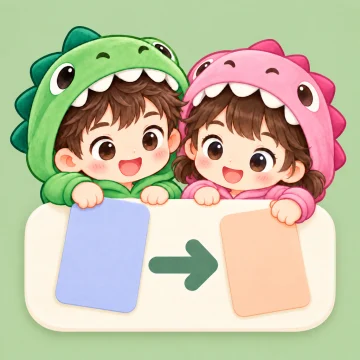
Langkah shows your child what happens now and what comes next, one picture card at a time.
Picture cards
60 activities with Dino and Dina. Add your own photos and voice.
A gentle timer
Each step waits until your child is ready to tap Done.
 Good Job!
Coming soon. Download links are placeholders.
First brush teeth. Then play.
In the Langkah app, you choose two picture cards for one board: the first activity and the one that follows. Your child can see the order before starting.
Choose pictures of Dino and Dina for everyday activities. Your child can tap a card to hear its name in English or Bahasa Indonesia.
The 10 cards below are free. Langkah Pro unlocks all 60 cards, plus your own photos and voice recordings.
 Get dressed
 Put on shoes
 Toilet
 Bath
Bath Brush teeth
 Eat
Eat Play
Play Tablet
 Sleep
Sleep Car
Car
Show your child how much time is left.
Once the activity order is clear, you can add a timer to either or both cards. The timer ring shows the time remaining, for example while your child plays.
When time is up, the card waits for your child to tap Done. Your child can finish the activity before moving on. You can also use the board without a timer.
The ring turns peach and displays Time's up, without red or flashing.

While the timer runs
When time is up

Two steps finished, one star earned.
Your child earns one star when both activities are finished. Dino or Dina celebrates with them on screen.
Your child keeps the stars they have earned, including on days when they leave a board unfinished.
You prepare the board. Your child follows one step at a time.
Parent Mode

- Pick two cards for your child's routine and name the board.
- Add a timer if needed, or leave it off.
- Choose Dino or Dina, then open the board to start Child Mode.
Child Mode

- Your child sees the current activity card and a hint of what comes next.
- After the first activity, your child taps Done to open the second card.
- After the second activity, your child taps Done to receive one star.
To return to settings, a grown-up taps the lock icon and answers one question.

Start with one free board.
The brush teeth and play cards in this example are free. Edit the same board when your child's routine changes.
- Free
- 10 activities, 1 board, 1 child. Edit the board as often as you like.
- Langkah Pro
- All 60 activities, unlimited boards and children, your own photos and voice recordings. Use pictures of objects your child knows and your voice to name the activities.
One purchase, with no subscription. The price is shown in your currency on the App Store, and Family Sharing is supported.